
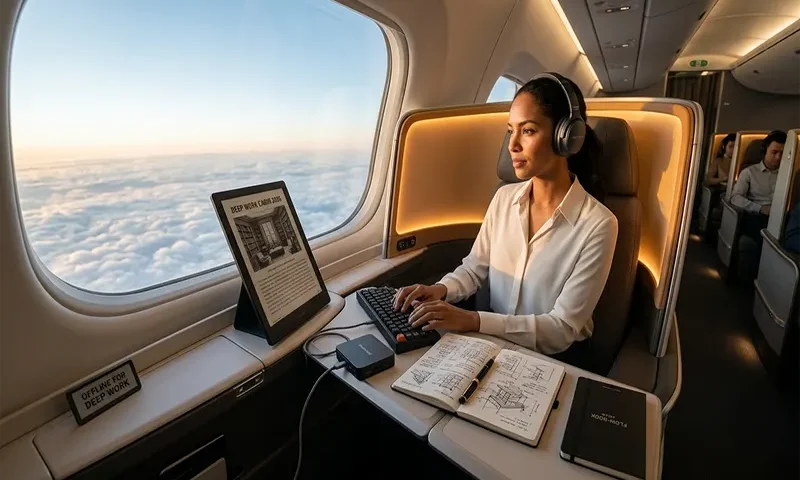
In the hyper-connected landscape of 2026, a long-haul flight is one of the last true “off-grid” sanctuaries. While many aircraft now offer satellite Wi-Fi, the most elite professionals are increasingly choosing to go “Dark”—toggling Flight Mode specifically to leverage the rare, enforced isolation of the sky.
This isn’t just about “killing time”; it’s about Deep Work. At 35,000 feet, without the “ping” of a Slack message or the rabbit hole of a search engine, your brain can enter a state of cognitive flow that is nearly impossible to achieve on the ground.
1. The Sky as a Sanctuary: Enforced Isolation
Productivity in 2026 isn’t measured by how many emails you can churn through; it’s measured by the quality of your strategic output. The airplane cabin provides a unique psychological “container.”
- The Focus Advantage: Without the ability to “just quickly check” a fact online, your brain is forced to rely on internal logic and synthesized knowledge. This strengthens neural pathways and leads to more creative problem-solving.
- The “Sky-Refining” Mindset: Treat your flight as a “Refinery.” You bring the raw materials (downloaded data, notes, ideas) and use the flight to process them into finished products (strategies, drafts, plans).
2. Category 1: The Strategic Brain Dump
Strategic planning requires the kind of uninterrupted time that a 10-hour flight provides in abundance.
Quarterly & Annual Mapping
Use local-first tools like Obsidian or Notion’s 2026 Offline Mode to map out your next major project. Since these tools now prioritize “local-first” syncing, you can build complex databases and interconnected notes without a connection.
- The Goal: Visualize your entire Q3/Q4 trajectory. Link your tasks to high-level goals without the distraction of incoming “urgent” requests.
The “Problem-Solving” Hour
Pick one complex bottleneck in your professional life—something you’ve been avoiding. Set a timer for 60 minutes. Use a physical notebook or a blank digital doc to “think onto the page.”
- The 2026 Twist: Use Biometric Auditing. Review your saved health data from your smart ring or watch. Analyze your stress peaks (HRV) and sleep patterns over the last month to optimize your work-rest schedule for the upcoming quarter.
3. Category 2: High-Output Creation
2026 has introduced revolutionary tools that make offline creation faster than ever.
The “Zero-Draft” Voice Method
Writing doesn’t have to mean typing. Tools like Wispr Flow and DictaFlow have become 2026 essentials because they offer 100% offline, high-accuracy AI transcription.
- The Workflow: Use a “Whisper” microphone or your earbuds to quietly dictate your thoughts. These tools can transcribe at 4x the speed of typing, allowing you to “speak” a 3,000-word report or article draft before the first meal service is over.
Digital Asset Curation
Use the flight to perform “digital hygiene” that usually feels like a chore:
- Photo Library Purge: Go through your local library and delete the “clutter” (screenshots, duplicates).
- Video Editing: With 2026 mobile processors, editing 4K travel vlogs or professional clips in CapCut or LumaFusion is seamless without the lag of cloud-dependent assets.
4. Category 3: Skill Acquisition & Professional Development
If you aren’t creating, you should be consuming—but with intention.
- Offline Masterclasses: Pre-download technical workshops or leadership courses. In 2026, many platforms offer “Downloadable Interactive Environments” that let you practice coding or design offline.
- Language Immersion: Use Duolingo or Babbel’s offline modes to master the “Survival Phrases” of your destination.
- The “Deep Read”: Bring 3–4 high-level industry white papers or long-form essays in PDF format. Read them with a highlighter tool to synthesize complex new theories in your field.
5. The “Pre-Flight” Productivity Checklist
To turn your seat into a high-performance office, you must prepare 2 hours before boarding:
- Sync Your “Second Brain”: Ensure your Obsidian Vault or Notion workspace has completed its local sync.
- Download the “Knowledge Stack”: Grab the specific PDFs, Masterclass videos, and podcasts you need for your chosen “Sky-Project.”
- Update Offline Maps: If you’re heading to a new city, download the Google Maps offline area.
- Charge & Backup: Ensure your noise-canceling headphones are at 100% and your power bank is within the 100Wh (27,000mAh) airline limit.
Summary: The 2026 Flight Productivity Menu
| Time Block | Focus Area | Recommended Tool |
| Hour 1–3 | Deep Work Creation | Wispr Flow (Dictation) / Obsidian |
| Hour 4–5 | Strategic Review | Biometric Health Data / Excel Offline |
| Hour 6–8 | Active Learning | Pre-downloaded Courses / PDFs |
| Hour 9–10 | Organization & Hygiene | Photo Library / Email Drafts (for landing) |
In 2026, being “connected” is the default, but being “productive” is a choice. By choosing to stay offline, you reclaim your most valuable asset: uninterrupted attention. When you land and toggle your Wi-Fi back on, you won’t just have caught up on work—you’ll be miles ahead of it.

